Guides Sync guide
Syncing sound with an iPhone slate.
Why a phone can mark sync as precisely as wooden sticks, the three things that throw it off, and how to find the clap frame in the edit.
Wooden sticks meet in an instant, but a camera running at 24 frames per second only looks every 41.7 milliseconds. Every clapperboard ever built marks sync to the nearest frame and no closer, and that is exactly why a phone can do the job. It only has to hit the same frame.
Below: why that works, the three things that knock a phone slate off, why the timecode on the screen isn't the sync, and how to find the clap frame in the edit.
The short answer
Start the sound and the picture mark on the same frame, record the clap on the sound recorder's mic near the slate, and in the edit line up the first frame where the sticks close (or the flash appears) with the front of the clap's spike in the recorder's waveform. A phone is as precise as wooden sticks if its flash lasts one frame with no fade and its sound stays off Bluetooth, which typically lands 100 to 200 ms late.

Clap · film slate for iPhone
A flash one frame long to sync to
On iPhone Duo, open it to slate and shut it to clap; on any iPhone or iPad, tap the sticks. Clap flashes for one frame to mark sync and logs every take with its timecode, ready to send as a camera report. It needs no account and shows no ads.


Reading on a computer? Point your iPhone’s camera at the code to install. No account needed. Or text me the link
Why a phone is as exact as wood
Picture only exists in frames. Audio doesn't: a recorder samples tens of thousands of times a second, so the clap's spike can be placed to a fraction of a millisecond. Picture is the coarse side, and whatever marks it, wood or glass, gets one frame of precision. Here is what a frame is worth.
| Frame rate | One frame lasts | Sound travels in that time |
|---|---|---|
| 23.976 fps | 41.7 ms | 14.3 m (47 ft) |
| 24 fps | 41.7 ms | 14.3 m (47 ft) |
| 25 fps | 40.0 ms | 13.7 m (45 ft) |
| 29.97 or 30 fps | 33.4 or 33.3 ms | 11.4 m (37.5 ft) |
| 60 fps | 16.7 ms | 5.7 m (19 ft) |
With wood, the sound and the picture mark are one physical event and can't disagree. A phone makes them separately, so a slate app's whole job is to start them together. In Clap the sound and a white flash start on the same frame, the sticks on screen snap shut on that frame, and the board and timecode hold for two seconds so they read in the shot.
The flash's length matters as much as its timing. A camera with the standard 180° shutter exposes each frame for half the frame time and sits dark for the other half: at 24 fps, about 21 ms open and 21 ms closed. A flash shorter than a frame can fall entirely into the dark and never be recorded. One that lasts exactly a frame can't be missed, and one that stops there can't smear across three. Clap's lasts one frame at the slate's frame rate and doesn't fade.
So match the slate's frame rate to the camera's. Leave the slate at 60 and the flash is 16.7 ms, short enough to hide inside that 21 ms gap. It's the first thing worth checking in any slate app (more in what to look for in a clapperboard app).
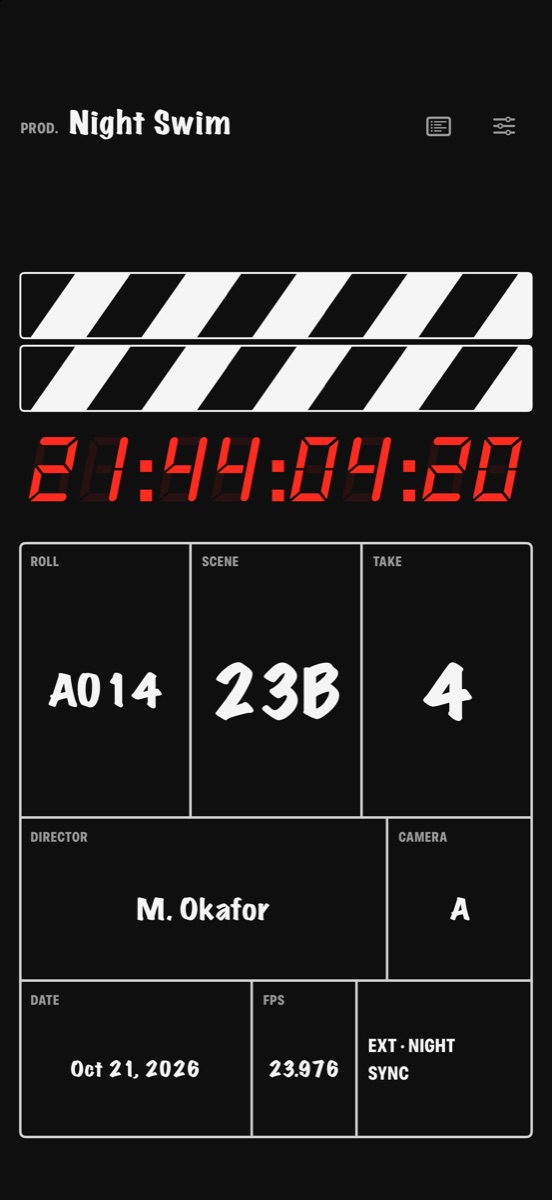
Bluetooth: two to five frames late
Bluetooth audio is late by design. The sound is compressed, sent in packets and buffered at the far end so it doesn't stutter, and ordinary Bluetooth headphones and speakers commonly spend 100 to 200 milliseconds doing it: two to five frames at 24 fps. Even low-latency Bluetooth, where both ends support it, adds around 40 ms, a whole frame at 24 fps.
Nothing on the slate looks wrong. The take simply syncs up with every word early, and early is the direction viewers notice first.
Clap warns on the slate when its sound is going to Bluetooth ("Bluetooth lags") and shows "Volume low" when the phone is too quiet for a clean spike. Disconnect the headphones, turn it up, use the phone's speaker. Clap plays even with the ring switch on silent.
Mic distance: a frame every 14 meters
Light from the slate reaches the camera at once. Sound doesn't. At 20 °C it moves at about 343 meters per second, roughly 3 ms per meter, and in one frame at 24 fps it covers about 14.3 meters (47 feet).
That number decides which mic you sync to. The boom (the mic on a pole over the actors) usually hangs a meter or two from the slate, so it hears the clap 3 to 6 ms after the camera sees it, a small fraction of a frame. A camera's built-in mic on a wide shot can be 15 meters back, and hears the same clap more than a frame late. The phone only makes the mark (Clap doesn't record sound or picture, or use the phone's mic or camera), so the sound recorder's track is the reference.
Automatic sync can slip here without anyone noticing. Most editing software can match the recorder's files to the camera's scratch audio (the guide track from its built-in mic) by waveform. On that wide shot, the recorder's track inherits the camera mic's delay and lands about a frame late, every waveform perfectly aligned. Slate near the actors, where the boom already is, and check wide shots against the clap frame.
Clap · film slate for iPhone
A flash one frame long to sync to
On iPhone Duo, open it to slate and shut it to clap; on any iPhone or iPad, tap the sticks. Clap flashes for one frame to mark sync and logs every take with its timecode, ready to send as a camera report. It needs no account and shows no ads.
Reading on a computer? Point your iPhone’s camera at the code to install. No account needed. Or text me the link
A mark that smears
A mark that spans several frames hands the editor a choice, and every choice is a chance to be a frame out. The usual smears:
- A flash that fades. A white screen easing in and out over a quarter second lights up six frames at 24 fps. Which one is the clap?
- A long beep. Half a second of tone has a start, a middle and an end, and only the start means anything. If it ramps up, even the start is soft.
- A clap the mic barely caught. Buried in room tone (the background noise of the location), the spike has no clear front edge.
- A clap nobody caught. The camera wasn't rolling yet, the slate was out of frame, or the sound recorder hadn't started.
Clap's sync is built the other way: a flash that's on for one frame and gone, and a sound that's either a sharp clap or a 1 kHz beep exactly one frame long, so the spike in the waveform starts and stops inside a single frame.
The last two smears are fixed with crew calls, not settings. Close-ups need soft sticks: the slate is held close to the actor's face to be in frame and in focus, so the camera assistant who slates (the clapper loader) announces "soft sticks" and closes the sticks gently, though still loud enough for the mic to hear. If camera or sound missed the clap, or it was too soft to hear, call second sticks and clap again, so the editor knows which mark is the real one.
On iPhone Duo, shut the phone slowly for soft sticks: the clap is quieter and the take is flagged SOFT STICKS in the camera report. Clap logs every clap as a take, so before second sticks, take the missed one back: on iPhone Duo, tap Undo on the cover and the take number steps back; on other iPhones, step the take back by one in the slate settings and swipe the extra take out of the shot log.
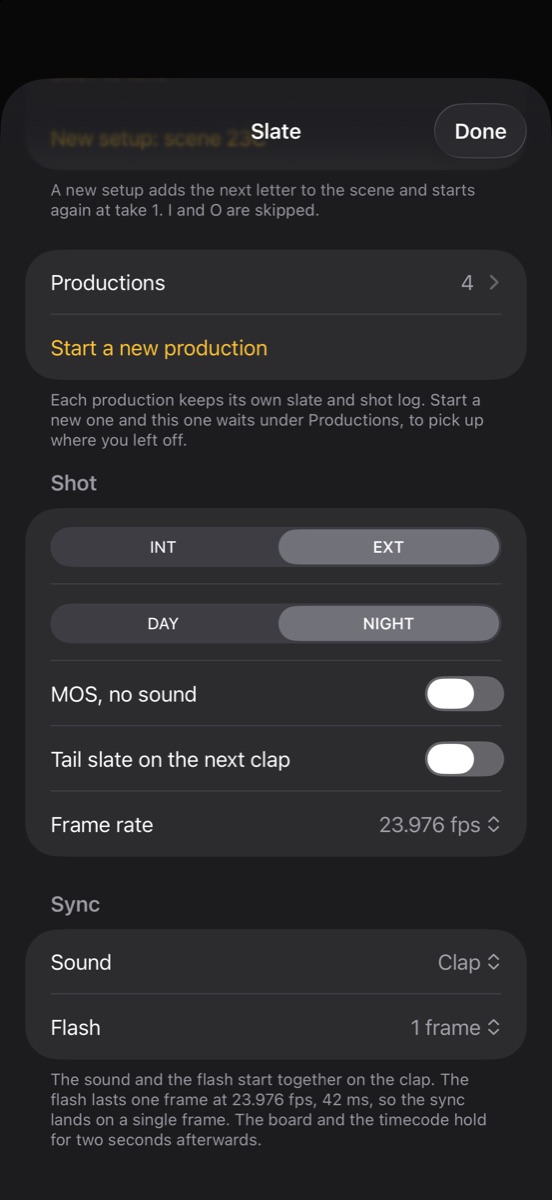
The timecode is not the sync
The red digits look like the real thing. Clap shows time-of-day timecode from the phone's clock at the slate's frame rate, and it freezes on the clap, so every take in the shot log carries a timecode.
A hardware timecode slate is jam-synced: its clock is set from the same timecode as the camera and the recorder. Clap's timecode isn't jammed to anything (it has no timecode input or output), and a camera clock that was never set from the phone can disagree with it by seconds. Even jammed clocks drift apart over a long day, which is why crews with full timecode setups still close the sticks.
Use the timecode for what it's good at: finding takes. The number frozen in the shot matches the one in the shot log and the camera report, so the editor can tell scene 23B take 4 from take 5 at a glance. The clap tells them where the frame is.
Finding the clap frame in the edit
By hand, it's four steps in your editing software:
- Step through the picture one frame at a time to the first frame where the sticks are shut, or where the white flash appears. With a one-frame flash there's little to judge: the first frame with any white in it is the mark.
- Open the sound recorder's file, zoom into the waveform until the clap is a single spike, and put the playhead on the front of it, where it first rises out of the room tone.
- Slide the audio until that point sits on the mark frame, then link or merge the clips.
- Mute the camera's audio, play the clap and watch the sticks. The sound should land as they close, not after.
Or let the software sync by waveform automatically. A sharp clap is the cleanest spike in the whole take for it to lock onto. Just check the wide shots by eye, for the reason above.
On iPhone Duo the mark is physical again. Shut the phone to clap, and the frame where the two halves meet is the picture's sync mark, read exactly like wooden sticks. A tail slate syncs the same way from the end of the take, with the board upside down to tell the editor to look there (more in how a tail slate works).
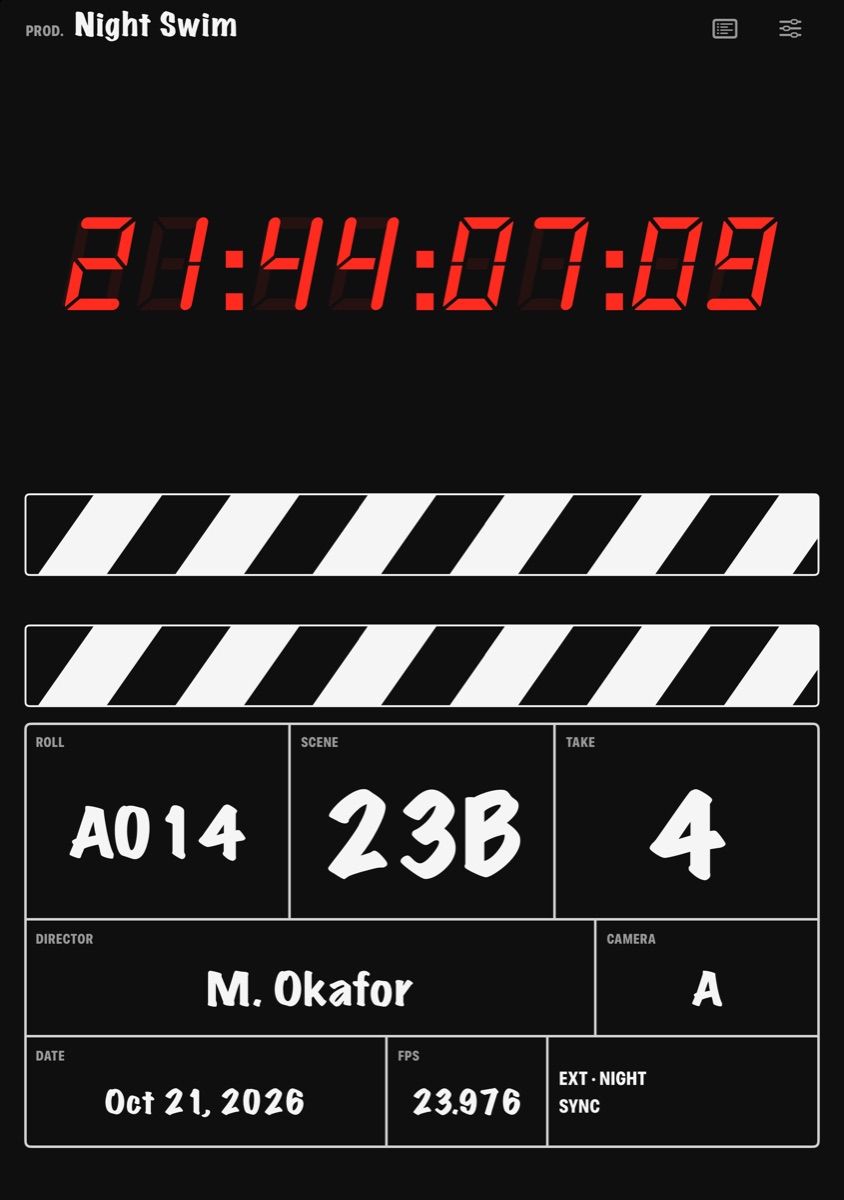
Wooden sticks never had a precision advantage over a phone, only a reliability one: nobody can pair them to headphones. Keep the clap on the phone's speaker, near the boom, and that advantage is gone too.
Clap · film slate for iPhone
A flash one frame long to sync to
On iPhone Duo, open it to slate and shut it to clap; on any iPhone or iPad, tap the sticks. Clap flashes for one frame to mark sync and logs every take with its timecode, ready to send as a camera report. It needs no account and shows no ads.
Reading on a computer? Point your iPhone’s camera at the code to install. No account needed. Or text me the link
Questions
Is a slate app accurate enough to sync audio?
Yes, if its flash lasts exactly one frame at the camera's frame rate with no fade, its sound starts on the same frame, and the sound plays from the phone's own speaker. Picture only exists in frames (41.7 ms each at 24 fps), so wooden sticks are no more accurate than one frame either. Bluetooth is what breaks a phone slate: it typically adds 100 to 200 ms, two to five frames at 24 fps.
How do you sync audio and video with a clapperboard?
Record the clap on the sound recorder with the mic close to the slate. In your editing software, find the first frame where the sticks close (or the flash appears), find the front of the clap's spike in the recorder's waveform, line them up and link the clips. Most editing software can also sync by waveform automatically, and the clap gives it a clean spike; check wide shots by eye, since a distant camera mic hears the clap late.
Why is my audio still out of sync after using a clapperboard?
If the take is off by the same amount throughout, the clap reached the mic late (Bluetooth, or a camera mic far from the slate, about one frame per 14 meters at 24 fps) or the wrong frame was picked. If sync is right at the clap and slides away during the take, it's a speed mismatch, not the slate: 23.976 fps footage against audio running as if at 24 fps is a 0.1% difference, about 120 ms over a two-minute take.
Can I use Bluetooth headphones or a Bluetooth speaker with a slate app?
Not for the clap. Ordinary Bluetooth headphones and speakers commonly play sound 100 to 200 ms late, two to five frames at 24 fps, and even low-latency Bluetooth adds around 40 ms, a full frame. The flash stays on time while the clap arrives late, so every word in the synced take ends up early. Use the phone's speaker; Clap warns on the slate when its sound is going to Bluetooth.
Does a slate app's timecode sync with my camera?
Not unless it's jam-synced to the camera, and a phone's time-of-day timecode isn't. Clap's timecode comes from the phone's clock with no timecode input or output, so it's a visual reference: it freezes on the clap and goes in the shot log, which helps the editor find each take. The clap is still the sync point.
Do I still need a clapperboard if my editing software syncs by waveform?
Keep clapping. Waveform sync matches the camera's own audio to the sound recorder's, and a sharp clap is the cleanest, most distinct spike it can find, which matters when the camera's audio is faint, noisy or far from the action. The slate also shows the scene and take in the shot, and gives you a frame to check the automatic result against.